Objects and Schemas
At its foundation from the data storage perspective, the Platform revolves around two concepts, namely, objects and schemas. An object is defined as a grouping of one or more units of data that have unique attributes and behaviors. These data represent some aspect of physical or non-physical entities. A schema is defined as the blueprint of how objects are constructed.
Essentially, all the data coming from IoT devices is being stored as Objects with defined structure. The structure of the objects is defined with Schemas. Beside data from IoT devices, all other data (application’s data, configurations, users and users profiles and other) are also stored the same way. Any change in any Schema would automatically be reflected in the related Object’s structure.
Schema Overview
Schemas the blueprint of how objects are constructed. There are three types of schemas defined in Pixelcore:
- Schemas describing devices, Device Schema (“DeviceSchema”), typically maintained by DeviceDriver.
- Schemas describing some generic purpose data structure, Data Schema (“DataSchema”) typically used by applications.
- Schemas describing files of any nature Media Schema (“MediaSchema”), maintained by MediaServer and providing a way to store files.
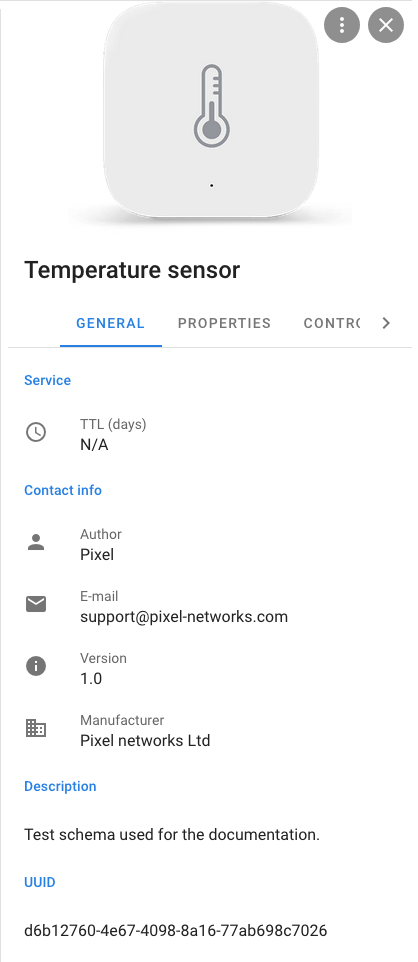
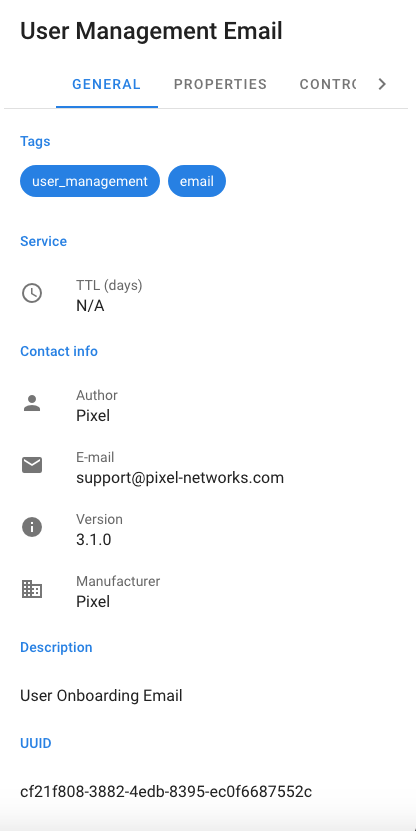
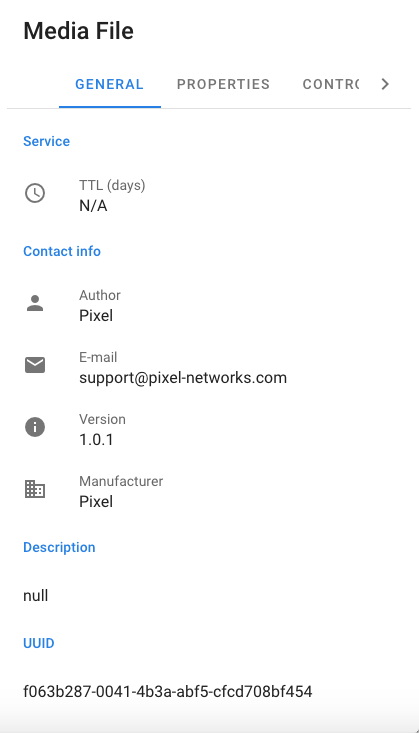
Schemas define object sets of properties and validation, interpretation and procedural controls. The property sets are defined as General properties, Definition properties and Access properties.
The General properties and Access properties are meta information which is the same across all Schemas in the system, for example, name, description, owner, and access permissions.
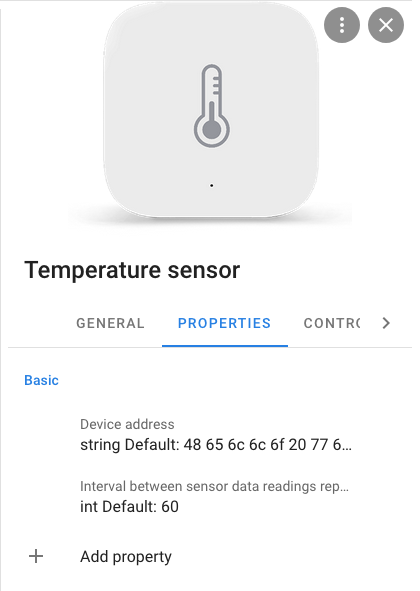
The Definition properties, which may be organized in groups, are particular for each Schema. Typically, a Schema describing some device, has a group of properties called “Measurements” and some set of properties within this group, for example, Temperature, Humidity, Battery Level and others. There is no limitation on naming of the groups, the properties and the number of properties within a group except that they have to be unique within a single Schema.
Every single property in a Schema has name, description, type and some additional information which allows to describe data validation and formatting rules. This additional information can be used by applications while working with those properties in UI or in any other way.
Beside properties, a Schema can contain description of supported procedural controls, which are an implementation of a remote procedure call (“RPC’) mechanism in PixelCore. Controls are basically functions, which can be called by other software components and which are supposed to be processed by corresponding software modules within PixelCore. In the case of Devices, a control may be a function to switch something on or off, proceed with device parameters reconfiguration and similar tasks.
PixelCore is supplied with over one-hundred Schemas and provides a user interface (“UI”) which can be used to manage Schemas.
Schema Details
???Some UI figures here to show the details of schemas???
Schema Export and Import operations
PixelCore supports export and import of Schemas (SchemaImport and SchemaExport respectively) in JavaScript Object Notation (“JSON”) format. This feature is targeted more for Developers then for PixelCore regular users. The applications and other software components of PixelCore which rely on some Schemas or are responsible for maintaining some specific Schemas in PixelCore use this mechanism to make sure that the Schemas they are responsible for exist and are up-to-date within it.
The suggested workflow for using the import/export feature is described below. The Schema creator uses the PixelCore administrative user account (“PixelAdmin”) UI to create (register) a new Schema in PixelCore. Once created, a new Schema gets a universally unique identifier (“UUID”) assigned to it. After this, there are usually several rounds of Schema structure refinement: a) new properties and controls added, b) properties get regrouped and c) other similar actions are taken.
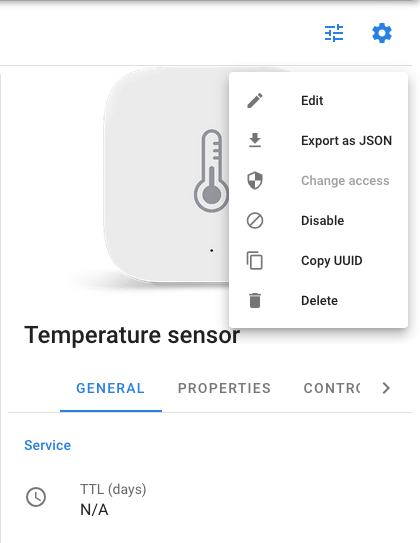
Once the Schema structure is finally settled, it can be exported via PixelAdmin’s SchemaExport function or corresponding PixelCore API call and can be stored as part of the new Application or Component package.
mutation{
  exportSchema(
    input: {
      schemaId: "d6b12760-4e67-4098-8a16-77ab698c7026"
    }
  ){json}
}
{
  "data": {
    "exportSchema": {
      "json": "{
        \"schema\": {
          \"id\":\"d6b12760-4e67-4098-8a16-77ab698c7026\",
          \"name\":\"Temperature sensor\",
          \"type\":\"device\",
          \"m_icon\":null,
          \"m_tags\":null,
          \"enabled\":true,
          \"m_email\":\"support@pixel-networks.com\",
          \"m_author\":\"Pixel\",
          \"m_picture\":\"data:image/png;base64,iVBOR......AAAAAElFTkSuQmCC\",
          \"m_version\":\"1.0\",
          \"m_longname\":null,
          \"default_ttl\":null,
          \"description\":\"Test schema used for the documentation.\",
          \"m_external_id\":null,
          \"m_manufacturer\":\"Pixel networks Ltd\",
          \"application_owner\":null},
          \"controls\": [
            {
              \"rpc\":\"Set device address\",
              \"mask\":\"\",
              \"type\":\"string\",
              \"regex\":\"^([A-Fa-f0-9]{2}){8,9}$\",
              \"units\":\"\",
              \"hidden\":true,
              \"argument\":\"address\",
              \"value_set\":\"\",
              \"description\":\"Set device address in HEX\",
              \"value_range\":\"\",
              \"default_value\":\"48 65 6c 6c 6f 20 77 6f 72 6c 64 21\"
            },
            {
              \"rpc\":\"Set report interval\",
              \"mask\":\"\",\"type\":\"int\",
              \"regex\":\"^[1-9]\\\\d*$\",
              \"units\":\"seconds\",
              \"hidden\":true,
              \"argument\":\"interval\",
              \"value_set\":\"\",
              \"description\":\"Set time interval in seconds between sensor data readings reports.\",
              \"value_range\":\"1-600\",
              \"default_value\":\"60\"
            }
          ],
          \"properties\":[
            {
              \"mask\":\"\",
              \"type\":\"string\",
              \"index\":0,
              \"regex\":\"^([A-Fa-f0-9]{2}){8,9}$\",
              \"units\":\"\",
              \"hidden\":false,
              \"m_tags\":null,
              \"property\":\"Device address\",
              \"value_set\":\"\",
              \"group_name\":\"Basic\",
              \"description\":\"Device address\",
              \"value_range\":\"\",
              \"default_value\":\"48 65 6c 6c 6f 20 77 6f 72 6c 64 21\",
              \"group_description\":null
            },
            {
              \"mask\":\"\",
              \"type\":\"int\",
              \"index\":0,
              \"regex\":\"^[1-9]\\\\d*$\",
              \"units\":\"seconds\",
              \"hidden\":false,
              \"m_tags\":null,
              \"property\":\"Report interval\",
              \"value_set\":\"\",
              \"group_name\":\"Basic\",
              \"description\":\"Interval between sensor data readings reports.\",
              \"value_range\":\"1-600\",
              \"default_value\":\"60\",
              \"group_description\":null
            }
          ]
        }"
      }
    }
}
Then on every startup of the newly developed Application or Component the ImportSchema API call should be used. This API call takes the Schema’s JSON representation as a parameter and it makes sure that this particular Schema does exist within the PixelCore and is up to date. If the Schema, provided with JSON, has a newer version then the version stored in the PixelCore gets updated and, subsequently, all Objects created from that Schema get updated as well. This procedure is supposed to be executed on every startup of the corresponding Application and Component and provides an easy and centralized way for Schema maintenance and synchronization with their offline representations distributed along with Applications.
Schema Versioning
During the SchemaImport procedure, PixelCore implements some version check to decide whether the existing version of Schema is older than the imported one. Based on this verification, the import routine either will proceed with import or will instantly terminate. The high-level SchemaImport algorithm is as follows:
- If New Version (string) is equal to Existing Version (string) then no import happens.
- If New Version or Existing Version (or both) is NULL (not provided) then import always happens.
- If New Version (as SemVer) is newer then Existing Version (as SemVer) then import happens (for example following standard logic applies: 1 > 0.9 > 0.8.9)
- If New Version or Existing Version can not be interpreted as SemVer then import always happens.
Object Overview
An Object is an instance of a Schema, that is, sets of specific values mapped to a specific Schema and updated by devices or applications as certain events occur or per programmed business logic. An Object has a state in which all of its properties have values that you either explicitly define or that are defined by default settings. Depending on the type of Schema, an Object falls into one of the following categories:
- Device. This is an Object created based on a Schema representing and storing data for a real physical or a virtual device (a placeholder for a real device).
- Media. This is an Object created based on a Schema of a media server and storing information about various media files that PixelCore and applications can work with.
- Dataset. This is an Object created based on a Data Schema for applications.
As with a Schema, an Object has some meta information which is the same across all Objects in the system, for example., name, description, owner, and access permissions.
Other parts of the Object configuration, namely the Groups of Properties and the Properties, contained within Objects are completely defined and controlled by corresponding Schema, which was used to create the Object.
Objects store specific values of Properties (which are coming from an IoT device or some application) but essentially do not include their advanced descriptions and validation rules (that is, this information is not duplicated and is contained only in the Schema). Objects can be connected to other Objects of any types. The number of such connections is not limited. In practice this can be used but not limited to, for example, to associate some media files (Media Objects) to some Device Object.
Objects also have associated Controls records with them in the case if such Controls are present in the Schema. As you will read in the later section, to be able to generate a RPC call, one would need to use corresponding API (namely Controls API of GraphQL). So Control records associated with Object have no direct connection with execution of the RPC call. However these records are convenient to use as a storage for Control parameters values. One can write/read from Object Controls and have no effect on RPC.
Objects to Objects connection
PixelCore supports connection (relation) of Objects to Objects. This is an essential mechanism which allows composition of complex Objects, which have connected Devices, Media files and other data Objects. In GraphQL API this connection is described with ObjectId1 and ObjectId2, where ObjectId1 represents root Object and ObjectId2 represents Object connected to it. It’s important to keep proper use of this relation to avoid any potential confusion with processing of the data afterwards.
Object Properties Historical Data
Overall Object Properties are the key storage “cells” for IoT (and applications) data. All changes (updates) of Object Properties are recorded to Object Properties History storage. Object Properties History storage is organized as a time series database and provides simple and efficient access to historical data.
Object Details
???Some UI figures here to show the details of objects???